AI CAD for hardware startups
With QuantCAD, founders and small product teams can turn a new product idea into a first prototype they can show and build. One prompt in Build auto mode gives a complete product with every part inside, and the STEP files are ready to send to a manufacturer or a CAD engineer. Through our Agentic procurement pilot, you can also find parts and compare the estimated cost of a prototype with a production run. It runs in the browser, and the Free plan needs no credit card.
Last updated
Why start a new product in QuantCAD?
Early on, a hardware team needs something it can show, test and price before it spends money on tooling or a full CAD team. QuantCAD gives you:
- A complete first version of the product, with housings, internal parts and fasteners, from one prompt in Build auto mode.
- No CAD licences, installs or training to begin. QuantCAD runs in the browser and the Free plan needs no credit card.
- STEP files that a manufacturer or a CAD engineer opens as solids in their own tools.
- Every change saved as a revision, so you can try a new direction and switch back.
- A next step after the model: the Agentic procurement pilot finds parts across suppliers and estimates prototype and production costs, part by part.
How do you go from an idea to a product you can manufacture?
- 1
Describe the product in one prompt
Click New Product and keep Auto selected. Say what the product is and who it is for, and add the sizes and parts you already know, such as a display, a battery or a port.
- 2
Review it in the 3D viewer
Measure distances, hide parts and look inside with X-ray mode or a clipping plane. Switch the chat to Ask mode to ask questions about the design without changing it, such as whether a part will fit.
- 3
Change it by describing what should be different
In Build mode, write the change in the chat, such as "make the case 2 mm thinner" or "move the USB-C port to the bottom edge". Each change is saved as a revision.
- 4
Show it and test it
Take screenshots in the 3D viewer for a pitch deck or a product page, and download STL to 3D print a first model you can hold and test.
- 5
Find parts and estimate costs (pilot)
With Agentic procurement, AI agents find the parts and materials suited to your product across several suppliers, and compare the estimated cost of a prototype with a production run, part by part. It is in a pilot program, and hardware startups can request access.
- 6
Send it to manufacturing and track it to Released
Send the STEP file to a supplier for a quote, or to a CAD engineer for drawings and tolerances. Move the product from Draft and In Work through In Review to Released, with every revision kept.
What has QuantCAD built from one prompt?
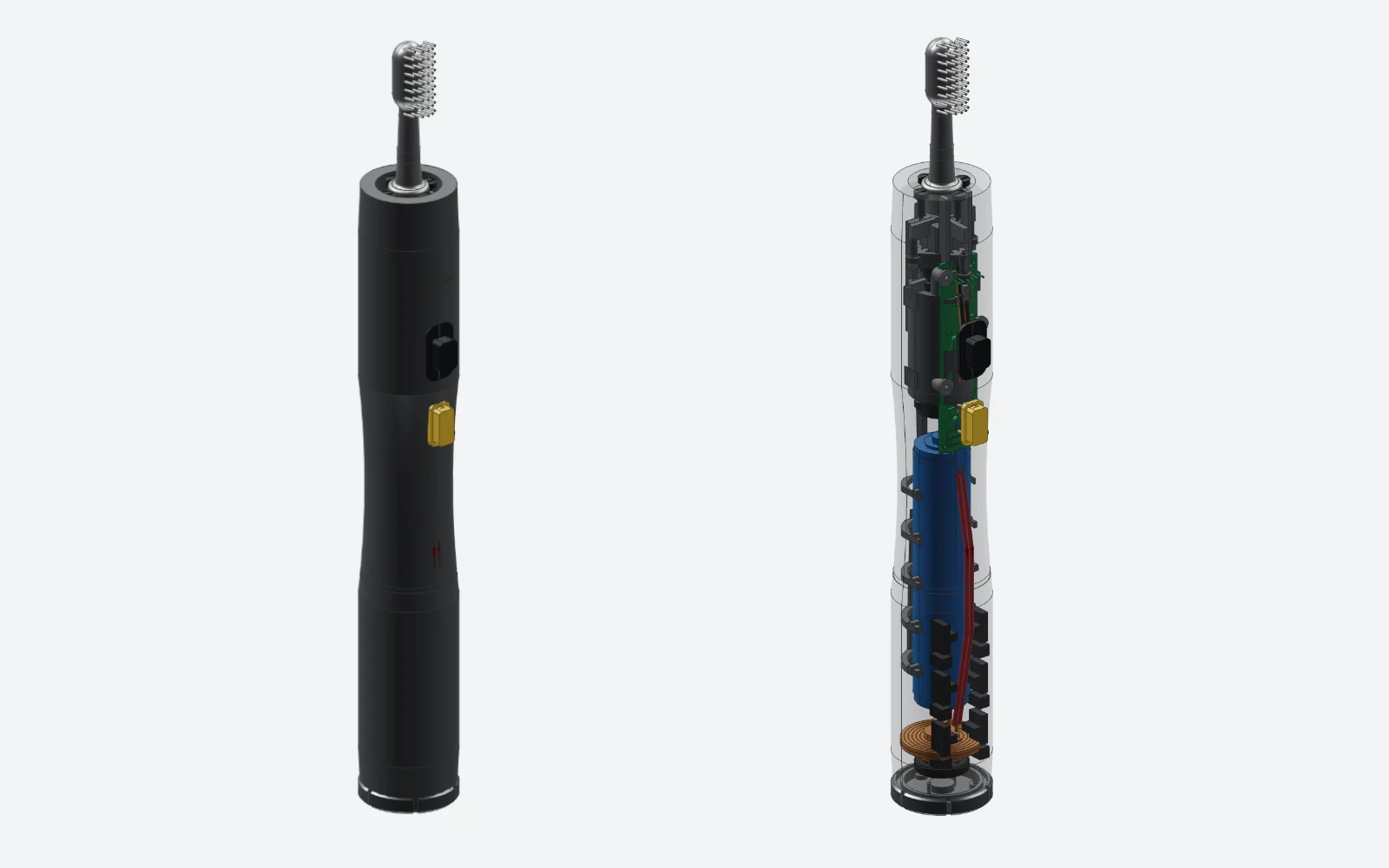
Our published products were each built from one prompt with no follow-up changes. The health and fitness smartwatch has 36 parts and was built in 13 minutes 48 seconds. The electric toothbrush has 34 parts and was built in 14 minutes. Both have free STEP and STL files in the CAD Library.
What should you write in the prompt?
Say what the product is and what it does. One line is enough for a complete first version. When you have already chosen parts, such as a display, a battery or a circuit board, or the product has to fit a size, add them in millimetres.
A complete product, in one line
Build a modern electric toothbrush. Full flagship product.This prompt gave a 34-part assembly in 14 minutes.
A product with the sizes and parts you already know
A handheld air quality monitor, 70 x 45 x 22 mm. A two-part housing that snaps together, a 33 mm round display on the front, a USB-C port on the bottom edge, a 1000 mAh battery and a main circuit board held on four screw bosses.Give the sizes and parts you have decided on, and QuantCAD fills in the rest.
Each build is generated fresh, so the same prompt can give a different result from one run to the next, and results keep improving as QuantCAD is updated.
More ways to describe sizes, features and parts are in Writing good prompts.
How do you keep track as the product changes?
Every change is saved as a revision, so you can switch back to an earlier one or fork a new direction from it. Each product also has a lifecycle stage, from Draft and In Work through In Review to Released, and the traceability view shows how its revisions developed over time.
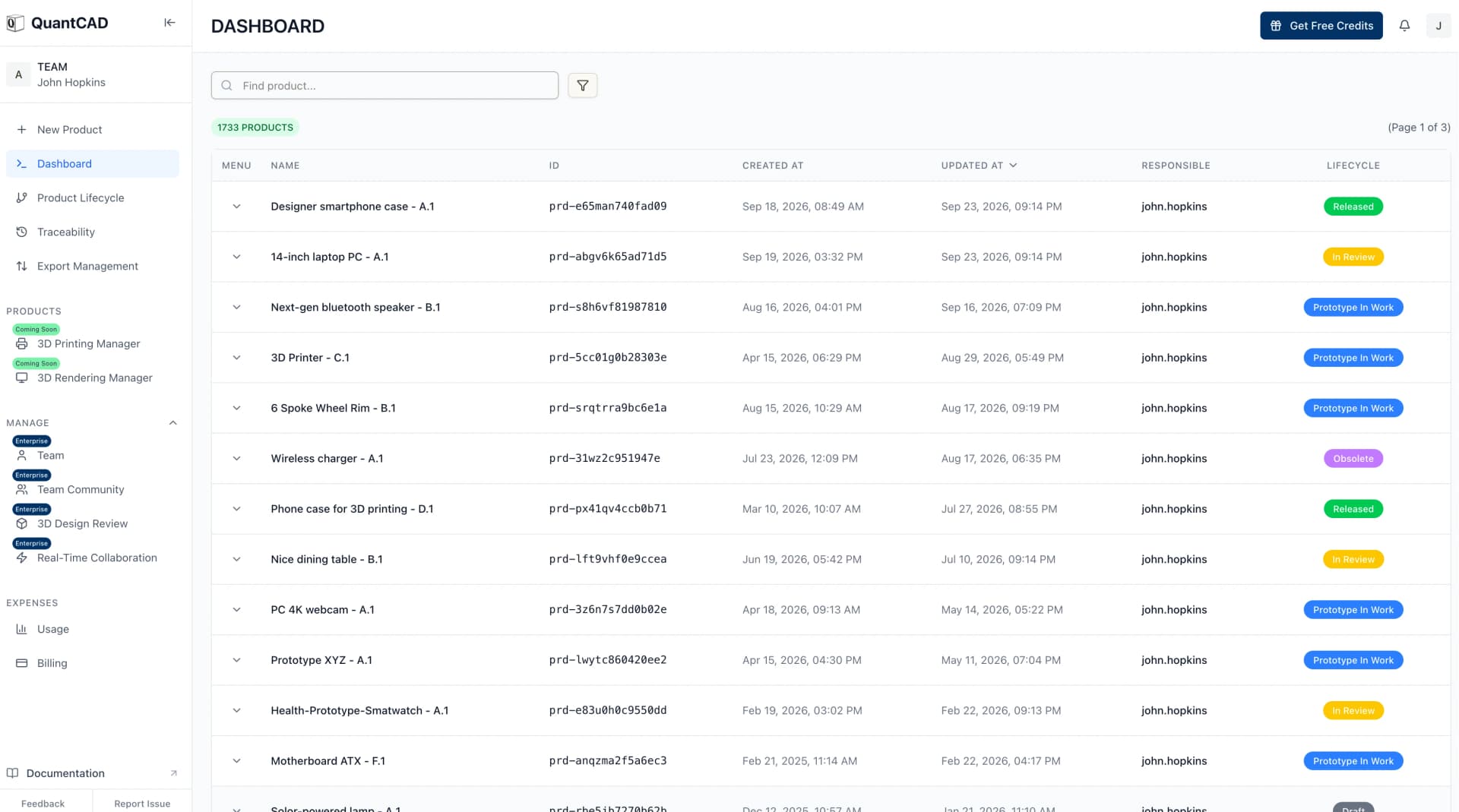
See Versions, Product lifecycle and Traceability for more.
How do you hand the design to a manufacturer?
- Download STEP (AP242, in millimetres) and send it to a supplier for a quote on CNC machining, 3D printing or injection molding.
- Give the STEP file to a CAD engineer, who opens it as solids in SolidWorks, Fusion, Onshape or FreeCAD to add 2D drawings and tolerances.
- Download STL in Draft, Normal or High quality to 3D print a first physical model.
- Bring the STEP file into your PDM or PLM system like any other STEP file.
STEP files from QuantCAD are exact B-rep solids, ready to send to a machine shop, a supplier or a 3D printer. As with any CAD model, it is good practice, and your responsibility, to check the critical dimensions, tolerances and fits against your requirements before you order parts, so no time or money is wasted.
How do you find parts and estimate what the product will cost?
A CAD model is only the start of making a product. You also need parts, suppliers and a cost for a prototype and for production. Agentic procurement is the QuantCAD module for this step: AI agents work from your design to find parts, compare suppliers and estimate costs.
- Find the parts and materials suited to your product, searching several suppliers at once, without back-and-forth emails or manual part searches.
- See the part number, description and supplier for each part you source.
- Research parts by what matters most to you: the lowest cost, high-end parts, the best documented and most reliable parts, or the best availability.
- Compare the estimated cost of a prototype with a full production run, for each part and for the whole product.
- Share the results with your team and stakeholders and get feedback on the design.
New Pulse SW-1 - fitness & health smartwatch
SW1-00001 · Rev C · 34 line items · USD
- ItemSW1-21040RevCLatestMaturityReleasedLockModified2026-09-12MfrBOHE Optoelectronics TechSourceBuy · custom spec
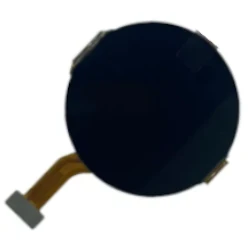 1$26.00$26.00
1.42″ AMELED-Q display module
466 × 466 px, on-cell touch, 1,000 nits peak
Display - ItemSW1-30210RevBLatestMaturityReleasedLockModified2026-08-28MfrBC MicroelectronicsSourceBuy · catalog
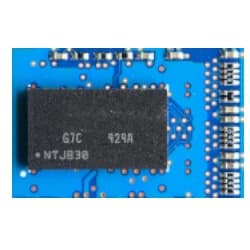 1$9.20$9.20
Saturn-2 Yellow SoC
Ultra-low-power 32-bit MCU with BLE radio
IC- Package
- BGA
- Supplier
- Authorized distributor
- Second source
- None — single-source risk
- Lead time
- 16–20 weeks
- MOQ
- Reel of 3,000
- Lifecycle
- Active
- Compliance
- RoHS 3 · REACH
- Country of origin
- TW
Single-source part: place a last-time-buy buffer before mass production.
Unit cost by volume
Prototype · 10$18.00Pilot · 1k$9.20Mass · 10k$7.60 - ItemSW1-30480RevDLatestMaturityFrozenLockModified2026-09-03MfrNorthfield KWYX SemiconductorsSourceBuy · sub-assembly
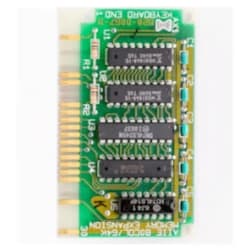 1$7.50$7.50
Optical heart-rate & SpO₂ module
Multi-LED, 4-photodiode array on flex with dual-channel optical front end
Sensor - ItemSW1-40120RevBLatestNoMaturityReleasedLockModified2026-07-19MfrAmpQ Power SolutionsSourceBuy · custom cell
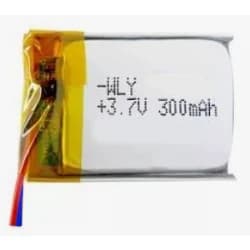 1$4.60$4.60
Li-Po battery, 300 mAh
3.7 V high-voltage cell with PCM and flex tab
Power - ItemSW1-60020RevELatestMaturityIn workLockModified2026-09-19MfrSheng CircuitsSourceMake · HDI fab + SMT
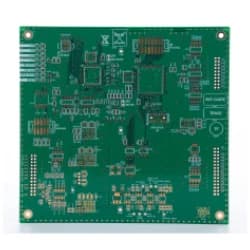 1$12.50$12.50
Main PCBA
8-layer any-layer HDI, 0.8 mm, double-sided SMT
PCBA - +29——$26.00
29 more line items
Aluminium case, sapphire cover lens, strap, haptic LRA, IMU, antenna, buttons, gaskets, fasteners, adhesives, packaging
Showing all 34 line items
Est. unit cost $95.30 at 1k units
Agentic procurement is in a pilot program. We give hardware startups access on request, so tell us about your product and we will set you up.
What does it cost a small team?
You can start for nothing. The Free plan needs no credit card and gives 120 credits at signup and 100 every month, on the same AI models as the paid plans. Build auto mode, STEP and STL exports and commercial use are included.
On the Free plan, your models and project names may appear in our public catalog. For a product you have not announced yet, Pro at $29 a month, including VAT, keeps every project private and adds the Max reasoning level for large products. Team plans with a shared workspace are set up through sales. Designs are never used to train AI models on any plan. See Pricing for every plan.
When do you still need traditional CAD?
QuantCAD does not make 2D drawings or GD&T today, and it exports STEP and STL only. When a supplier asks for drawings, tolerances or another format, open the STEP file in a tool such as Fusion, SolidWorks or Onshape and finish it there.
Frequently asked questions
Can I make a prototype to show investors or customers?
Yes. One prompt in Build auto mode gives a complete product with every part inside. Build auto mode turns one prompt into a complete multi-part assembly of B-rep solids, including housings, internal parts, fasteners and wiring. It plans the parts and how they fit together, builds each part, then checks the whole assembly for interference between parts, floating or unseated parts, gaps between mating parts and parts outside the housing, and reworks the parts that fail. It all runs in one action, for one up-front charge. You can take screenshots in the 3D viewer, 3D print the STL, or send the STEP file to a supplier for a first physical prototype.
Can a manufacturer use the files?
Yes. QuantCAD exports STEP (AP242, in millimetres), which opens as solids in SolidWorks, Fusion, Onshape, FreeCAD and other CAD tools. STEP files from QuantCAD are exact B-rep solids, ready to send to a machine shop, a supplier or a 3D printer. As with any CAD model, it is good practice, and your responsibility, to check the critical dimensions, tolerances and fits against your requirements before you order parts, so no time or money is wasted.
Can QuantCAD help us find parts and estimate production costs?
Yes, through Agentic procurement, which is in a pilot program. AI agents find the parts and materials suited to your product, search several suppliers at once and compare the estimated cost of a prototype with a production run, part by part and in total. Hardware startups can request access to the pilot through our sales team.
Do we need CAD licences or a CAD engineer to start?
No. You describe the product in plain language and review it in the browser, with nothing to install. When you need 2D drawings or GD&T, an engineer can open the STEP file in their own CAD tool and finish the details there.
Are our designs kept private?
Projects on Pro, Business and Enterprise are private. On the Free plan, generated models and project names may appear in our public catalog, so use a paid plan for a product you have not announced. Designs are never used to train AI models on any plan, and account and project data are stored in the EU.
Can several people on our team work on the same product?
Team plans, set up through sales, add a shared team workspace, unified billing, and roles and access management. Real-time collaboration and design review are part of Enterprise.
Does QuantCAD connect to PDM or PLM systems?
Not directly. You download STEP files, which PDM and PLM systems import like any other STEP file. Inside QuantCAD, every product has a revision history and a lifecycle stage from Draft to Released.
Can QuantCAD help us try out product ideas?
Yes, within a design. Ask mode answers questions about the product you have open without changing it. To try an idea, switch back to Build mode and describe the change. Each change is saved as a revision, so you can fork a new direction from any version and switch back at any time.
How much does it cost to start?
Nothing. The Free plan needs no credit card and gives 120 credits at signup and 100 every month, on the same AI models as the paid plans. Pro is $29 a month, including VAT, and keeps every project private.
Related guides
Build auto mode guide
How one prompt becomes a complete, checked assembly.
CAD Library
Products QuantCAD built from one prompt, with free STEP and STL files.
Mechanical assemblies
Multi-part designs checked for interference and fit.
Electronics enclosures
Housings sized around a circuit board, with cutouts and bosses.
Product lifecycle
Track each product from Draft to Released.
Pricing
The Free plan, private projects on Pro and Business, and team plans.